The same member data, shown as a searchable list, an editable sheet or a dashboard. Choose an example to see its definition and the page it produces.
Find the right member.
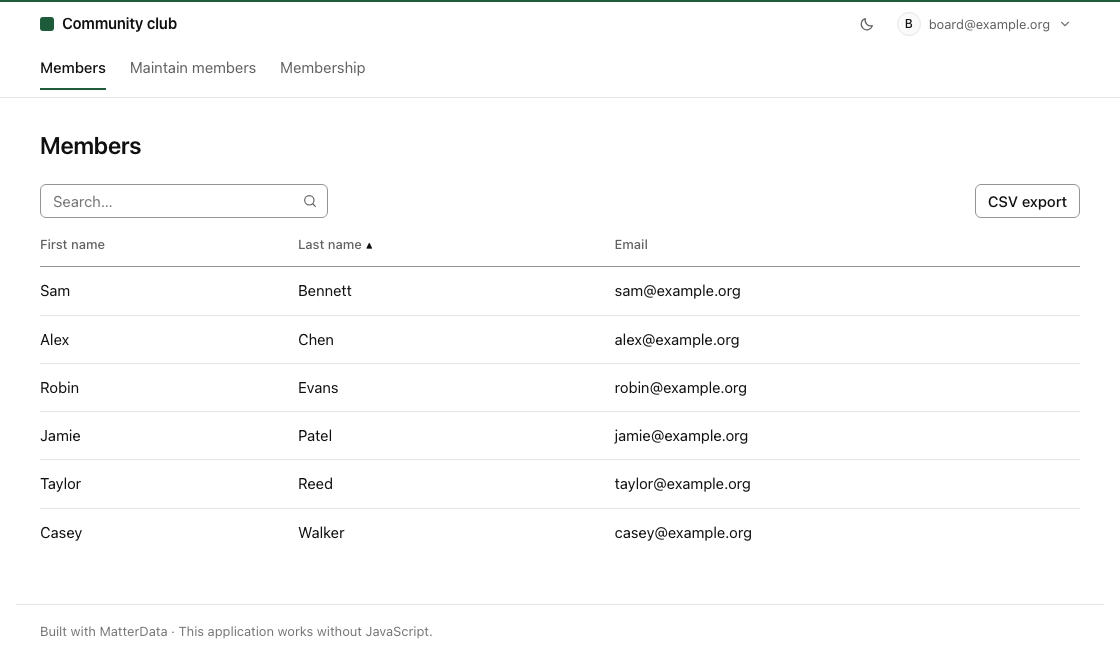
Names and unique email addresses, with search, sorting and CSV export. Only the board can open this page.
schema.mtd · Example
table members "Members" {
  first_name text required "First name"
  last_name  text required "Last name"
  email      email unique  "Email"
  joined_on  date          "Joined on"
  status     enum(active, inactive) "Status" { default: active }
  kind       enum(regular, student, supporting) "Membership" { default: regular }
}
pages/members.mtd · Example
page members "Members" {
  route: /members
  access: board

  report of members {
    columns: first_name, last_name, email
    search: first_name, last_name
    sort: last_name
    export: csv
  }
}
A searchable member list, with access for the board and CSV export. Fictional example data.
Edit several rows, save once.
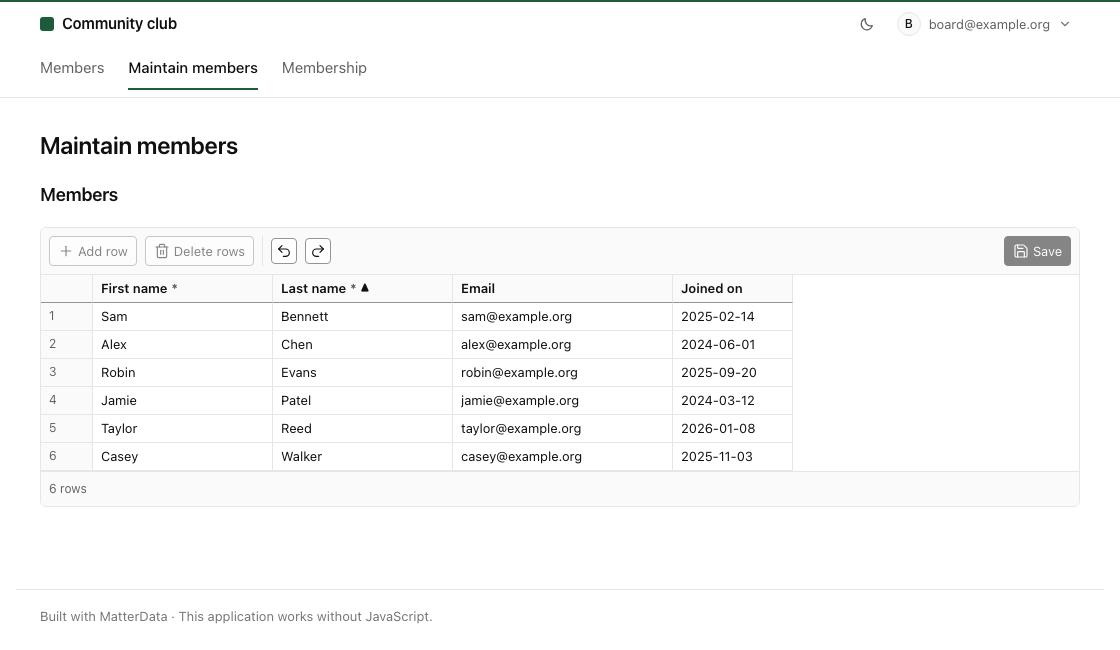
Work through member details in a spreadsheet-style grid. Without JavaScript, each row links to its own form.
schema.mtd · Example
table members "Members" {
  first_name text required "First name"
  last_name  text required "Last name"
  email      email unique  "Email"
  joined_on  date          "Joined on"
  status     enum(active, inactive) "Status" { default: active }
  kind       enum(regular, student, supporting) "Membership" { default: regular }
}
pages/sheet.mtd · Example
page sheet "Maintain members" {
  route: /members/maintain
  access: board

  sheet of members "Members" {
    columns: first_name, last_name, email, joined_on
    sort: last_name
    actions: save
    row -> member
  }
}
An editable sheet. The row link names the member form used without JavaScript. Fictional example data.
See the whole picture.
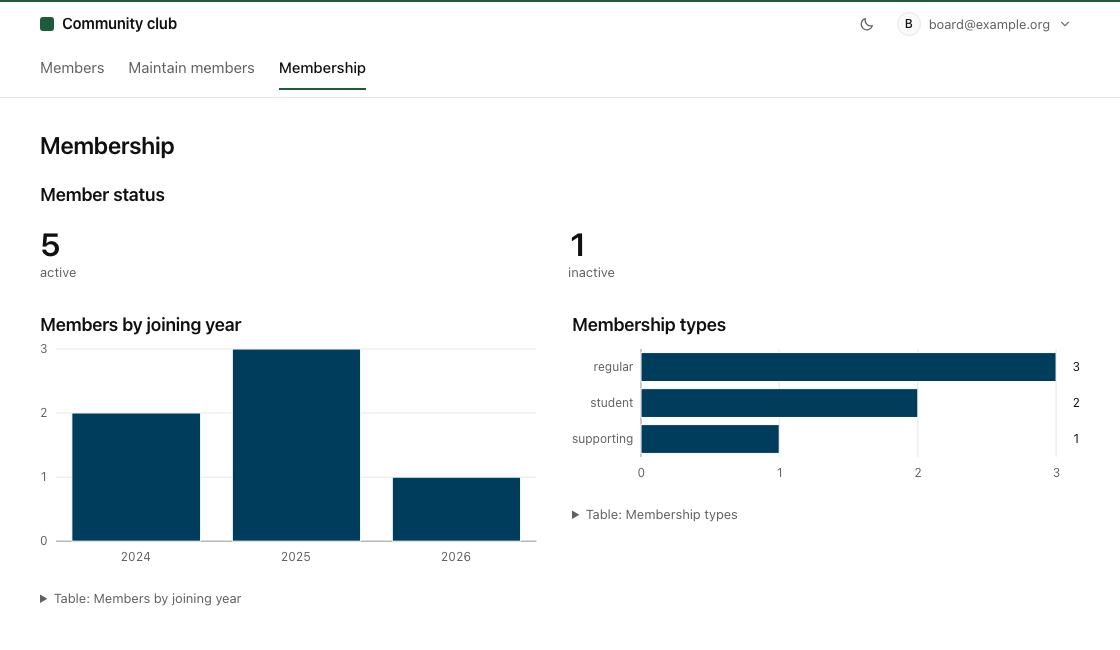
Combine status counts with charts of joining years and membership types. The server draws both charts and provides their numbers as tables.
schema.mtd · Example
table members "Members" {
  first_name text required "First name"
  last_name  text required "Last name"
  email      email unique  "Email"
  joined_on  date          "Joined on"
  status     enum(active, inactive) "Status" { default: active }
  kind       enum(regular, student, supporting) "Membership" { default: regular }
}
pages/dashboard.mtd · Example
page dashboard "Membership" {
  route: /membership
  access: board

  stats of members "Member status" {
    group_by: status
  }

  row {
    chart of members "Members by joining year" {
      x: year(joined_on)
      y: count
      kind: columns
      last: 3
    }

    chart of members "Membership types" {
      x: kind
      y: count
    }
  }
}
Status counts and two charts from the same records. The dashboard also works without JavaScript. Fictional example data.
Focus on the outcome.
Manage members, collect signups, organise work. Put the decisions that matter to your organisation into a definition you can read and review.
Create with AI.
Write the contract yourself or ask AI to draft it. A compact format keeps it reviewable, and the compiler checks definitions before they run.
Change the definition.
Update your data, pages and rules in one place. The shared runtime runs the revised definition, so you do not maintain a separate application implementation.
02 / What you can build
More than a list.
Forms, editable tables, calendar feeds and charts. Define who can see and change each part, and keep related work in one application.